At a high level, data center management is the management of all tasks related to the functioning of a data center. At a deeper level, data center management goes beyond just making sure that tasks are done. It’s about ensuring that tasks are done in the right way. That means the way that gets the desired result for the minimum level of resource.
Data center management is also about preparing data centers effectively to meet future challenges. This means data center managers need to ensure they are well-informed about relevant industry news and ready to act on it promptly.
Although individual data centers all have their own individual characteristics, all modern data centers tend to run on much the same basic principles. With that in mind, here are five key best practices for managing data centers that can be applied in most data center facilities.
Implement proactive monitoring
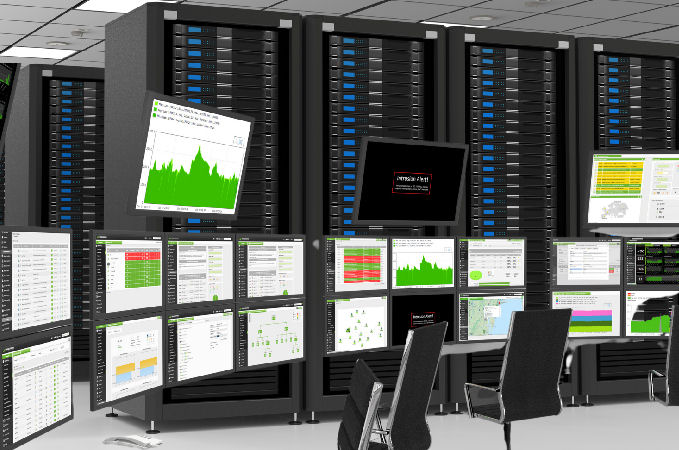
Proactive monitoring involves continuously tracking the performance and health of all systems, including servers, network infrastructure, and storage. This practice uses tools that provide real-time alerts on issues such as overheating, high CPU usage, or network congestion.
Implementing proactive monitoring helps to ensure that potential problems are identified before they become serious issues. It therefore enables IT teams to address them with minimal delay and hence reduces the risk of (expensive) unplanned downtime.
Optimize resource allocation
To avoid waste and ensure efficient use of resources, it’s critical to optimize compute, storage, and network capacity.
Using capacity planning tools and analytics, managers can forecast future resource needs and adjust allocations dynamically based on real-time demand.
For instance, virtualized environments can scale resources up or down automatically based on application workload, reducing over-provisioning and ensuring cost-effective operation.
Automate routine tasks
Automation of routine tasks like patching, backup, and load balancing is essential for reducing manual errors and improving operational efficiency. Automating these processes helps streamline workflows and ensures consistency in maintenance activities.
For example, using automated scripts to patch systems reduces security risks by ensuring all systems are updated regularly without requiring manual intervention. Additionally, automated backups ensure that data is consistently protected without interrupting regular operations.
Maintain rigorous security protocols
Security best practices involve implementing multi-layered defenses to protect both physical and digital assets.
Physical security measures, such as biometric access controls and video surveillance, prevent unauthorized personnel from entering the data center. Digital security includes encryption, firewalls, and intrusion detection systems that monitor for and block potential cyberattacks.
Regular security audits, vulnerability assessments, and timely patching are also key to keeping the data center secure from evolving threats.
Regularly test disaster recovery plans
Disaster recovery plans should be routinely tested to ensure that they work as expected during actual emergencies. This includes testing backup systems, failover processes, and data restoration to verify that recovery objectives (RTOs and RPOs) can be met.
Simulating potential disaster scenarios helps identify gaps in the plan, ensuring that any vulnerabilities are addressed before a real disaster strikes. Regular testing helps minimize downtime and guarantees data continuity during unexpected events.