
Running a business means making countless phone calls every day. Whether you’re closing deals, supporting customers, or coordinating with your team, your phone system forms the backbone of your operations. Traditional phone lines served us well for decades, but they’re becoming increasingly expensive and limited compared to newer alternatives.
An IP phone represents the natural evolution of business telephony. These devices use your internet connection instead of traditional copper phone lines, opening up a world of possibilities that simply weren’t available before. If you’ve been wondering whether it’s time to make the switch, or you’re trying to understand what all the fuss is about, this guide will walk you through everything you need to know.
What Is an IP Phone?
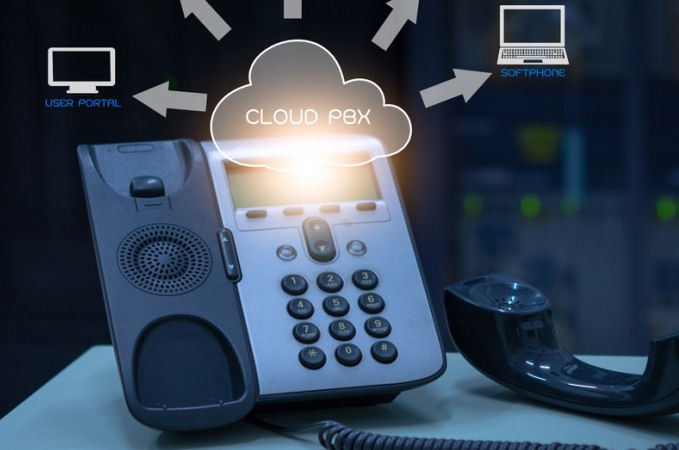
An IP phone is a telephone that transmits voice calls over the internet rather than through traditional phone networks. IP stands for Internet Protocol, which is the technical language computers use to communicate with each other online. Think of it as your regular desk phone, but instead of plugging into a phone socket in the wall, it connects to your internet network.
These devices look remarkably similar to traditional business phones. You’ll find the same handset, number pad, and familiar buttons you’re used to. The key difference lies in how they handle your conversations. Instead of converting your voice into electrical signals that travel through copper wires, an IP phone converts your speech into digital data packets that zip across the internet to reach the person you’re calling.
This fundamental change in how calls are processed brings significant advantages. Your voice travels more efficiently, call quality often improves, and you gain access to features that would be impossible with traditional phone systems.
How Do IP Phones Work?
Understanding how IP phones function doesn’t require a degree in telecommunications engineering. The process is quite straightforward once you break it down into simple steps.
When you speak into an IP phone, the device captures your voice using its built-in microphone, just like any other phone. However, instead of sending this audio as an analogue signal, the phone converts your voice into digital data. This conversion happens almost instantaneously, so there’s no noticeable delay.
The phone then packages this digital voice data into small bundles called packets. Each packet contains a portion of your conversation along with addressing information that tells it where to go. These packets travel across your internet connection to reach their destination, whether that’s another IP phone in your office, a mobile phone across the country, or a traditional landline anywhere in the world.
At the receiving end, the process reverses. The packets reassemble into your original voice data, convert back into audio, and play through the recipient’s speaker or earpiece. This entire journey typically takes just milliseconds, making conversations feel natural and immediate.
Your IP phone needs three essential components to function properly: a reliable internet connection, power (either from a standard electrical outlet or through the network cable itself), and connection to a phone system or service provider that can route your calls to their destinations.
Essential Features to Consider
Modern IP phones come packed with features that can significantly improve your business communications. Understanding which features matter most to your operation helps you choose the right devices without paying for capabilities you’ll never use.
Call management features form the foundation of any good IP phone. Look for devices that handle multiple calls simultaneously, offer easy call transfer and hold functions, and provide clear visual indicators of call status. The ability to see who’s calling, access call history, and manage voicemail efficiently can save considerable time throughout your workday.
Audio quality should be a top priority. Look for phones that support HD voice, which provides noticeably clearer sound than standard phone calls. Good noise cancellation helps filter out background sounds in busy offices, whilst full-duplex audio allows both parties to speak simultaneously without cutting each other off.
Display quality affects daily usability more than you might expect. Larger screens with good contrast make it easier to read caller information and navigate menus. Backlit displays help in low-light conditions, and colour screens can categorise information more effectively than monochrome alternatives.
Integration capabilities can significantly improve workflow efficiency. Phones that connect with your customer relationship management system can automatically display customer information when calls arrive. Calendar integration shows your availability and can automatically forward calls when you’re in meetings.
Security features protect your communications from eavesdropping and unauthorised access. Look for phones that support encryption for voice calls and secure authentication methods. Regular security updates from the manufacturer help protect against newly discovered vulnerabilities.
Power options affect both installation flexibility and reliability. Phones that support Power over Ethernet (PoE) receive both data and power through a single network cable, simplifying installation and reducing cable clutter. However, having backup power options ensures your phones continue working during power outages.
IP Phones vs Traditional Phone Systems
The comparison between IP phones and traditional systems reveals significant differences that affect both daily operations and long-term costs. Understanding these distinctions helps businesses make informed decisions about their communication infrastructure.
Cost structures differ dramatically between the two approaches. Traditional phone systems require substantial upfront investments in hardware, professional installation, and ongoing line rental charges. International and long-distance calls add significant ongoing expenses. IP phone systems typically have lower initial costs and dramatically reduced call charges, particularly for long-distance communication.
Maintenance requirements also vary considerably. Traditional systems often need specialist engineers for repairs and modifications. IP phones can frequently be managed remotely, and replacement involves simply configuring a new device rather than scheduling engineer visits.
Feature availability represents another major distinction. Traditional systems offer basic calling features, but advanced capabilities like call recording, automated attendants, and integration with computer systems require expensive add-on modules. IP phone systems include these features as standard or at much lower additional costs.
Scalability challenges affect growing businesses differently with each system type. Traditional phones require physical line installations and hardware expansions that can be both expensive and time-consuming. IP phones simply connect to existing networks, making growth much more manageable.
Reliability concerns exist with both systems but manifest differently. Traditional phones continue working during power cuts because they draw power from the phone network. IP phones depend on both internet connectivity and electrical power, though backup power solutions can address these dependencies.
Choosing the Right IP Phone Solution
Selecting the appropriate IP phone system for your business requires careful consideration of current needs and future growth plans. The right choice balances functionality, cost, and ease of management whilst providing room for expansion.
Business size significantly influences the best IP phone approach. Smaller companies often benefit from cloud-based solutions that eliminate hardware management responsibilities whilst providing professional features. Larger organisations might prefer on-premises systems that offer greater control and customisation options.
Industry requirements can dictate specific features or compliance needs. Healthcare businesses need systems that maintain patient privacy, whilst financial services require robust security measures. Understanding your industry’s unique requirements helps narrow down suitable options.
Budget considerations extend beyond initial purchase prices. Factor in ongoing service costs, maintenance requirements, and potential upgrade expenses when comparing options. Sometimes higher upfront costs result in lower total ownership expenses over time.
Technical expertise available within your organisation affects which solutions work best. Cloud-based systems require minimal technical knowledge, whilst on-premises installations need ongoing IT support. Honestly assessing your technical capabilities helps avoid choosing systems that become difficult to manage.
Growth plans should influence your decision significantly. Systems that work well for ten users might not scale effectively to fifty or one hundred. Choosing solutions that grow with your business prevents costly replacements as you expand.
IP phones represent a natural evolution in business communications technology. They offer significant advantages over traditional phone systems whilst providing the reliability and features modern businesses need. The transition requires some planning and preparation, but the benefits in cost savings, flexibility, and functionality make IP phones an excellent choice for businesses of all sizes.
The key to successful implementation lies in understanding your specific requirements and choosing solutions that align with your business goals. Whether you opt for basic desktop phones or sophisticated unified communications platforms, IP phone technology can help your business communicate more effectively whilst reducing costs and improving productivity.
The technology continues advancing rapidly, with new features and capabilities appearing regularly. By choosing flexible systems from reputable providers, businesses can take advantage of these improvements whilst protecting their communications investments for years to come.
Contact us today to explore how Techsol Systems can transform your business ICT solutions.
Share
-
Previous Post
Oracle Virtual Box vs VMware Workstation Pro vs QEMU